standard
Is 16GB RAM Enough for GTA 6? Memory Breakdown & Expectations
Wondering if 16GB RAM is enough for GTA 6? Explore detailed memory analysis, expected performance impact, and why 32GB is becoming the standard for Vice City.
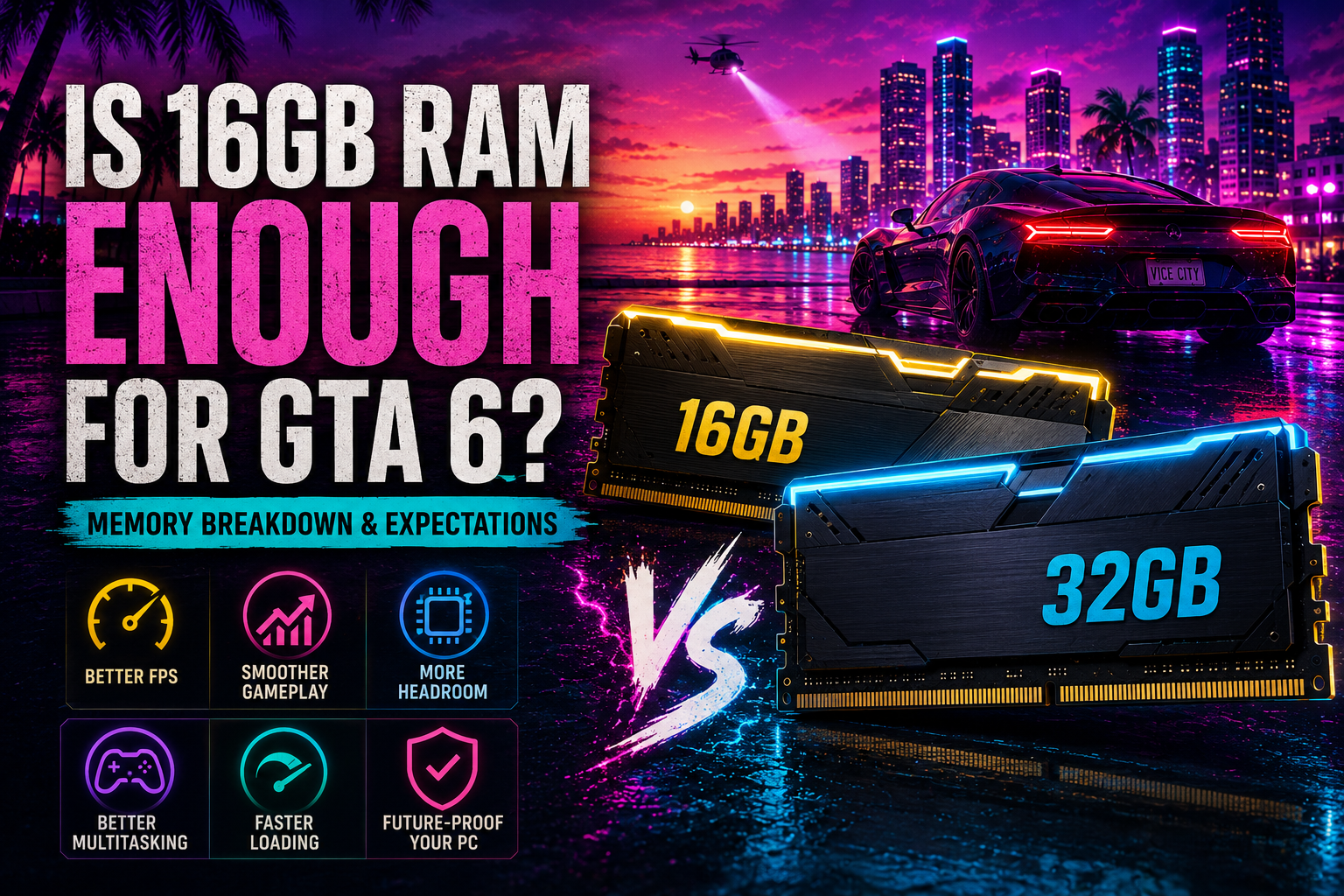
While Rockstar Games has not published official PC system requirements yet, hardware industry trends and modern gaming standards provide a clear picture of what to expect. While 16GB of system RAM will likely allow the game to launch and run at basic settings, 32GB of RAM is rapidly becoming the recommended sweet spot for an uncompromising, smooth gameplay experience.
Key Takeaways
- 16GB RAM is expected to be the minimum memory capacity for basic 1080p gameplay in GTA 6.
- 32GB RAM is strongly recommended to prevent hitching, frame drops, and background software lag.
- Dual-channel memory configuration is crucial for maximizing CPU bandwidth in open-world games.
- DDR5 memory provides higher bandwidth that aids smooth asset streaming across dense environments.
- High-speed NVMe storage paired with adequate system RAM is essential for fast map rendering.
Is 16GB RAM Enough to Run GTA 6?
The short answer is that 16GB of RAM will likely be enough to meet minimum system requirements, allowing you to boot and play GTA 6 at entry-level settings and 1080p resolution. However, modern demanding titles often consume 12GB to 14GB of RAM on their own, leaving minimal memory headroom for Windows and essential background services.
When system memory fills up completely, Windows begins relying on virtual memory page files created on your storage drive. This secondary paging process introduces noticeable micro-stutters, delayed texture loading, and abrupt frame drops when traveling fast through Vice City.
- 16GB memory will likely satisfy basic minimum system requirements for 1080p low settings.
- Operating system overhead reduces total available RAM allocated to the game.
- Memory saturation leads to micro-stuttering and delayed texture rendering.
What Happens When Memory Runs Low in Open-World Games?
In expansive open-world titles, system memory stores dynamic world data, vehicle physics, audio buffers, and character models for instant CPU access. When capacity limits are reached, the system must constantly shuffle data to secondary storage drives.
- Increased hitching and frame rate drops during high-speed driving across Vice City.
- Delayed rendering of buildings, shadows, and high-detail textures in dense areas.
- Background applications like web browsers or Discord crashing due to memory exhaustion.
Why 32GB RAM Is Recommended for GTA 6
Upgrading to 32GB of RAM removes memory limitations and grants significant performance headroom for modern gaming systems. With 32GB installed, games can freely reserve necessary memory without competing against operating system tasks, yielding significantly smoother frame delivery.
For players running higher resolutions such as 1440p or 4K, or enabling advanced visual features like ray tracing, graphic asset memory overhead expands. Adequate system memory ensures these heavy assets remain buffered in rapid-access RAM instead of choking system performance.
- Provides ample headroom for high-resolution asset streaming and ray tracing elements.
- Eliminates micro-stuttering caused by system disk page file swapping.
- Supports fluid multitasking with background voice chat, web browsers, and monitoring tools.
Multitasking and Modern Background System Overhead
Modern gaming PCs rarely execute games in complete isolation. Web browsers, voice chat programs, streaming software, and hardware monitoring applications routinely consume between 4GB and 8GB of system memory during normal operation.
- Web browsers with multiple open tabs consume substantial system memory.
- Voice communication apps and recording platforms require dedicated RAM allocation.
- 32GB capacity enables effortless alt-tabbing without triggering frame drops.
DDR4 vs DDR5 RAM: Performance Impact in GTA 6
The decision between DDR4 and DDR5 memory depends on your current motherboard platform. DDR5 memory delivers double the bandwidth and substantially higher clock speeds compared to DDR4, which directly benefits open-world games heavily reliant on continuous asset streaming.
While a high-speed 32GB DDR4 kit running at 3200MHz or 3600MHz will offer solid overall performance, DDR5 setups at 6000MHz or higher provide noticeably improved frame time consistency and better minimum frame rates during intense action.
- DDR4 remains cost-effective and capable when configured in dual-channel 32GB kits.
- DDR5 provides higher bandwidth that helps smooth out streaming in detailed urban environments.
- Motherboard slot design dictates whether your system requires DDR4 or DDR5 RAM.
The Importance of Dual-Channel Memory Configuration
Regardless of whether your system uses DDR4 or DDR5 modules, running RAM in a dual-channel configuration using two matched memory sticks is mandatory. Dual-channel memory doubles the data communication paths between the memory controller and the processor.
- Always install two RAM modules rather than a single stick to maximize bandwidth.
- Dual-channel memory setups noticeably boost 1 percent low frame rate performance.
- Ensure modules are populated in the correct motherboard slots for dual-channel operation.
Estimated Memory Specs and Hardware Recommendations
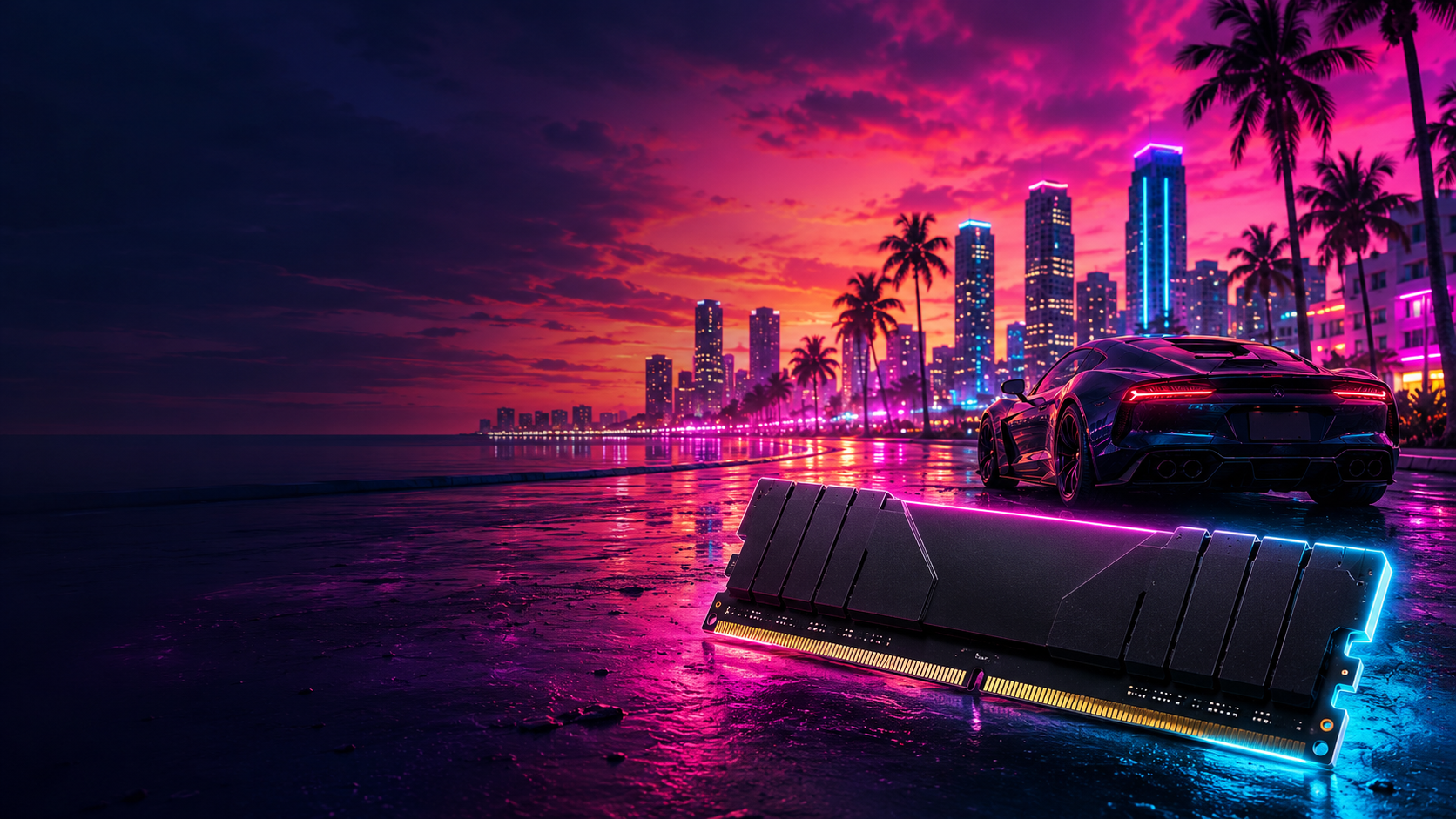
To help evaluate your system readiness, we have detailed estimated hardware expectations based on recent AAA engine demands and contemporary hardware benchmarks. Please note that Rockstar Games has not published official requirements, making these targets estimated.
Pairing your system memory capacity with a balanced CPU, powerful graphics card, and high-speed NVMe storage ensures your system delivers a responsive, visually stunning Vice City experience.
- Minimum targets focus on 1080p resolution at lower graphical presets.
- Recommended targets focus on 1440p resolution with steady 60 FPS performance.
- Ultra targets accommodate 4K resolution, maximum graphic fidelity, and ray tracing.
How System RAM Interacts with VRAM and Solid-State Drives
System RAM operates as part of a unified memory ecosystem alongside graphics card VRAM and high-speed storage. Modern game engines stream data continuously from fast NVMe drives into system memory and video memory.
- System RAM buffers world state calculations, game logic, physics, and audio assets.
- Graphics VRAM handles active frame buffers, geometry shaders, and high-res textures.
- NVMe SSD storage continuously replenishes RAM and VRAM during rapid world movement.
Estimated GTA 6 Memory & Hardware Breakdown
| Requirement Tier | Minimum Estimate | Recommended Estimate | Ultra / High-FPS Estimate |
|---|---|---|---|
| Target Resolution | 1080p (Low Settings) | 1080p / 1440p (High Settings) | 1440p / 4K (Max Settings) |
| System RAM Capacity | 16GB RAM | 32GB RAM | 32GB - 64GB RAM |
| RAM Speed & Standard | DDR4 3200MHz Dual Channel | DDR4 3600MHz / DDR5 6000MHz | DDR5 6000MHz+ Dual Channel |
| VRAM Requirement | 8GB VRAM | 12GB VRAM | 16GB+ VRAM |
| Storage Requirement | SSD Required | Fast NVMe SSD | High-Speed Gen4 NVMe SSD |
Recommended Hardware
Lexar Thor Z Series RGB DDR5 RAM 32GB Kit (2x16GB)
An ideal recommended DDR5 kit for modern motherboard platforms. Its 32GB capacity and dual-channel configuration deliver high bandwidth and reliable speed for smooth Vice City gameplay.
 RecommendedAmazon
Lexar Thor Z Series RGB DDR5 RAM 32GB Kit (2x16GB)
View current specifications, availability, and pricing from the retailer.
DDR4 RAM 32GB (2x16GB) 3200MHz PC4-25600 XMP
An excellent best-value memory upgrade for users on existing DDR4 platforms. Upgrading from 16GB to 32GB eliminates memory bottlenecks without requiring a full motherboard upgrade.
 RecommendedAmazon
DDR4 RAM 32GB (2x16GB) 3200MHz PC4-25600 XMP
View current specifications, availability, and pricing from the retailer.
CORSAIR Vengeance RGB RS DDR5 RAM 64GB (2x32GB)
A premium high-capacity memory solution designed for power users, content creators, and heavy multitaskers seeking complete future-proofing and high-end system stability.
 RecommendedAmazon
CORSAIR Vengeance RGB RS DDR5 RAM 64GB (2x32GB)
View current specifications, availability, and pricing from the retailer.
Frequently Asked Questions
faqQ: Is 16GB RAM enough to play GTA 6 on PC?
16GB RAM is expected to meet the bare minimum requirements for playing GTA 6 at basic 1080p settings. However, 32GB RAM is strongly recommended to prevent hitching, frame drops, and background app lag.
faqQ: Should I upgrade to 32GB RAM before GTA 6 releases?
Upgrading to 32GB RAM is one of the most cost-effective hardware improvements you can make. It immediately benefits current demanding open-world games and prepares your rig for GTA 6.
faqQ: Is DDR4 RAM sufficient for GTA 6 or do I need DDR5?
A fast 32GB DDR4 dual-channel setup will deliver solid performance. However, DDR5 platforms provide higher bandwidth, which helps smooth out asset streaming in complex urban environments.
faqQ: Does faster memory speed increase frame rates in GTA 6?
Faster RAM and dual-channel configurations primarily improve minimum frame rates and overall frame time consistency, helping eliminate micro-stutters during heavy scene transitions.
faqQ: Will GTA 6 require an SSD alongside memory upgrades?
Yes, an SSD will almost certainly be required. System RAM and high-speed SSD storage work in tandem to load textures and world data continuously as you move across Vice City.
Conclusion
While 16GB of system RAM will likely allow you to launch and play GTA 6 at standard settings, upgrading to 32GB of RAM is the most effective step to secure smooth, stutter-free performance across Vice City.
Pairing 32GB of dual-channel memory with a fast NVMe SSD ensures your PC has the required bandwidth and storage pipeline to handle dense urban detail, heavy traffic, and modern visual effects.
Related GTA VI News & Guides
RecommendedAmazonLexar Thor Z Series RGB DDR5 RAM 32GB Kit (2x16GB)
View current specifications, availability, and pricing from the retailer.
Disclosure: We may earn a commission when you purchase through links on this page, at no additional cost to you.